
OmniSearch · Productivity · Chrome extension
Search any site straight from the address bar
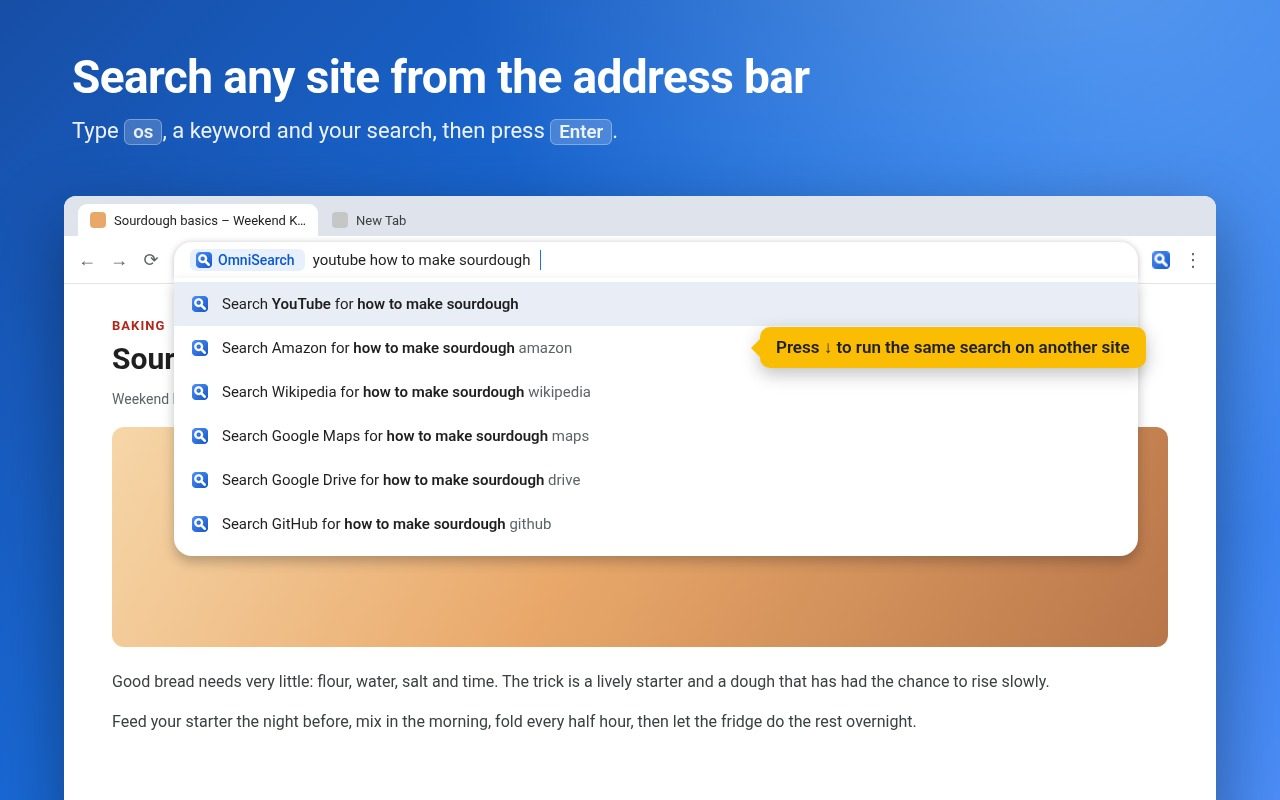
Type os, press Space, then a keyword and your search, like “youtube cats”. OmniSearch opens the results right away. Add any site in one right-click.
Add to Chrome, it's freeFree · Works in Chrome and on Chromebooks · Privacy policy
What it does
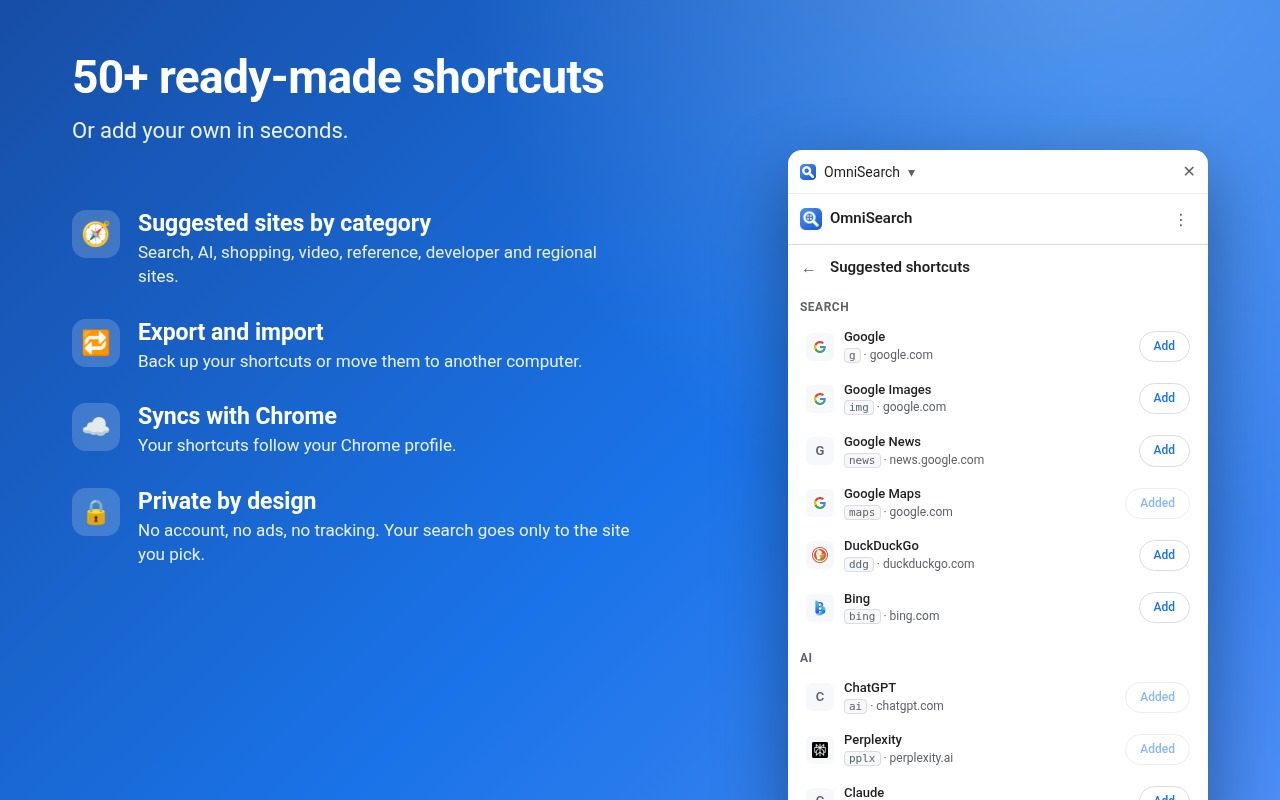
- Keyword shortcuts10 ready to use, about 50 more suggested by category, and any site you add.
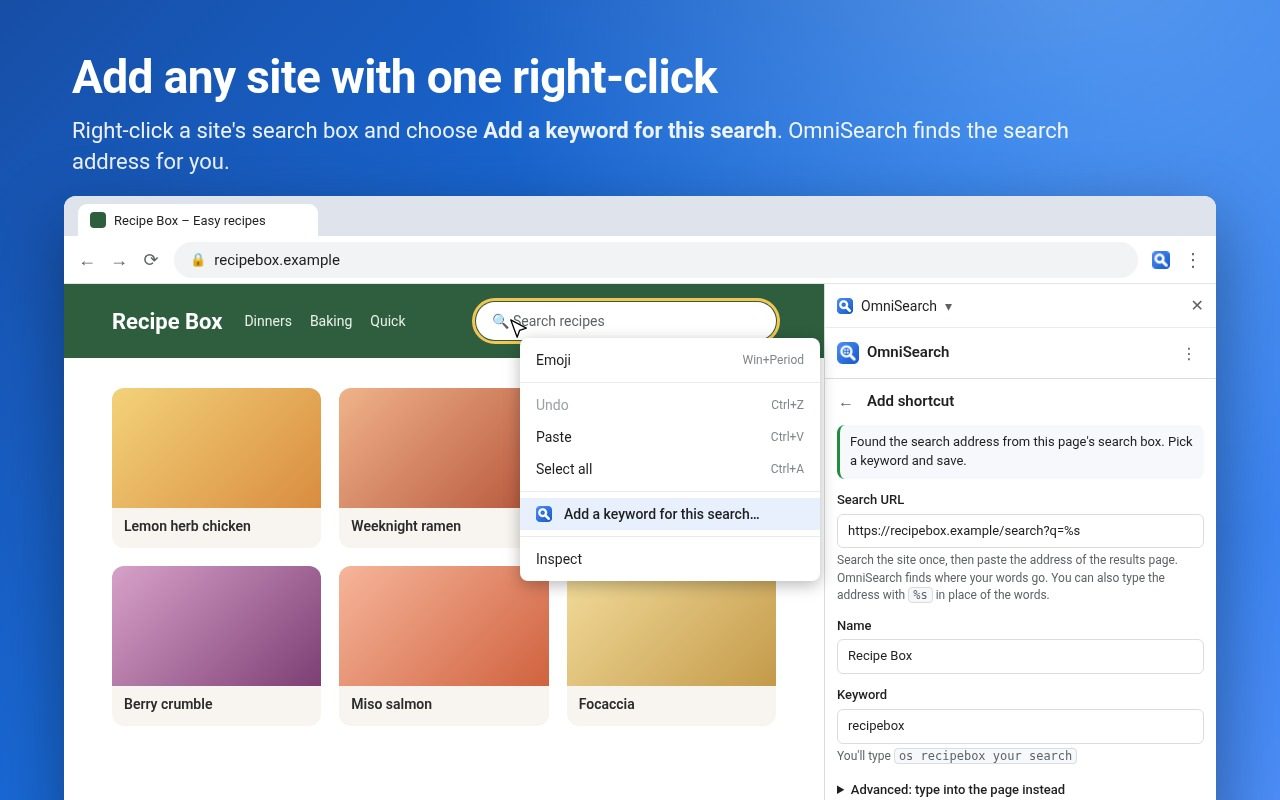
- Add any siteRight-click a site's search box and choose “Add a keyword for this search”, or paste a results page address.
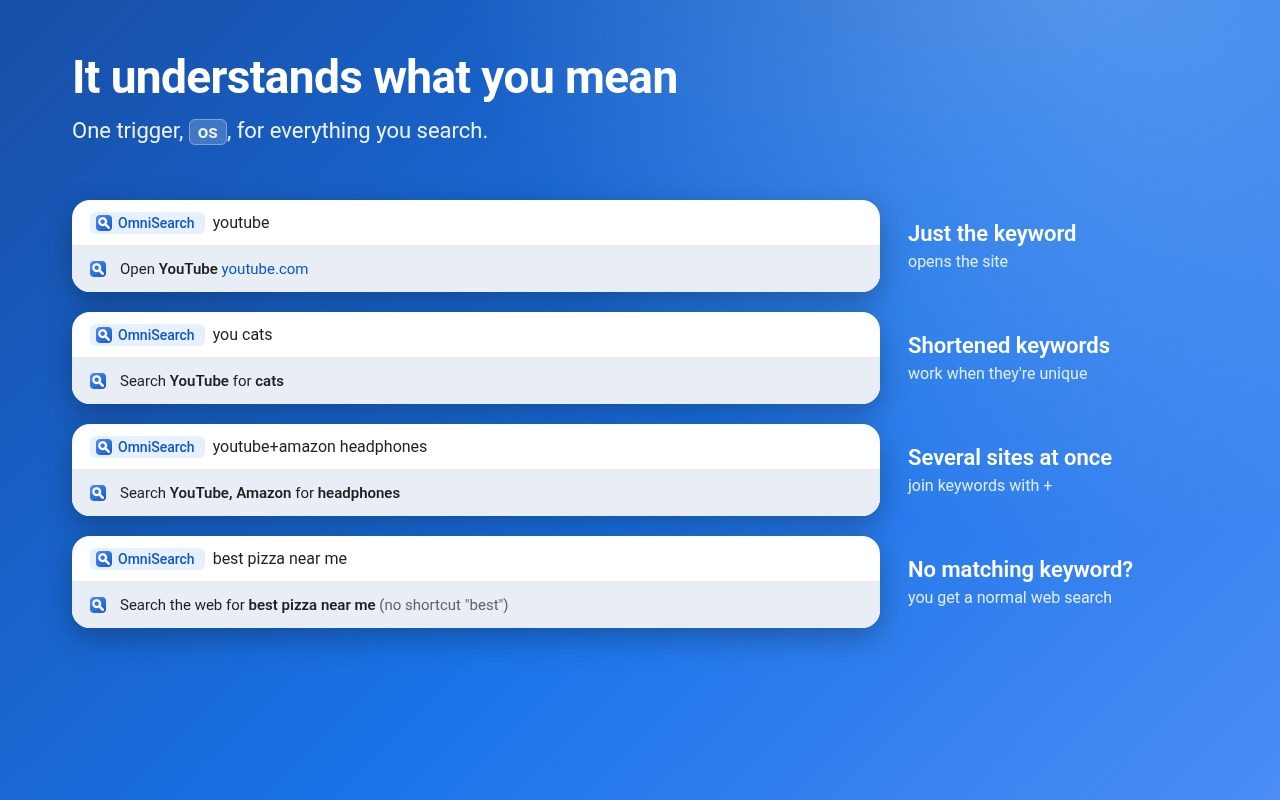
- It understands youType just the keyword to open the site, shorten keywords, or search several sites at once with yt+amazon.
- Same search, another siteAfter typing a search, press ↓ to run it on another site.
- Normal search fallbackNo matching keyword? You get a regular web search with your default search engine.
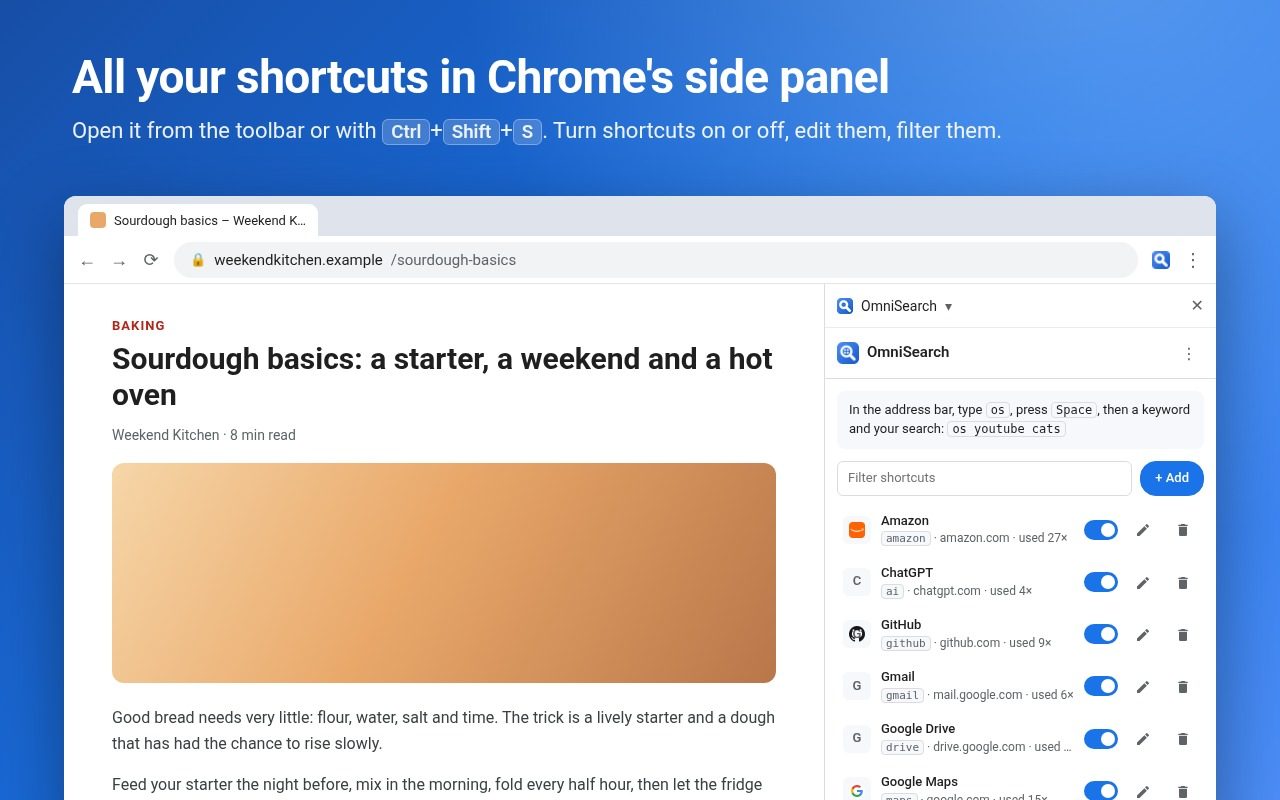
- Side panelManage shortcuts in Chrome's side panel (Ctrl+Shift+S). Import and export them, and they sync with your Chrome profile.
Questions
How is this different from Chrome's own site search?
OmniSearch adds sites from a right-click, understands shortened keywords and multi-site searches, and keeps a suggested list ready, all managed in the side panel.
Does it read the pages I visit?
No. It doesn't run on the pages you visit. It only reads a site's search box when you choose “Add a keyword for this search”, and only types into a site for advanced shortcuts you set up yourself.
Is it free?
Yes. No account, no ads, no tracking.
Guide
More free tools
 DraftLensOpen DWG and DXF files in Chrome, free
 SuggestScopeFree Amazon keyword research, from what shoppers actually type
 FairFillFill and sign any PDF, even ones without form fields
 NanoEventTurn emails, flyers and screenshots into calendar events
 ConvertLocalConvert PDFs on your computer. Nothing is uploaded.
 SpeakTypeVoice typing in any text box on the web
 ClearRecA reliable voice recorder for Chrome, with no time limit
 RollCallTake attendance in Google Meet™ automatically