RollCall · Education · Chrome extension
Take attendance in Google Meet™ automatically
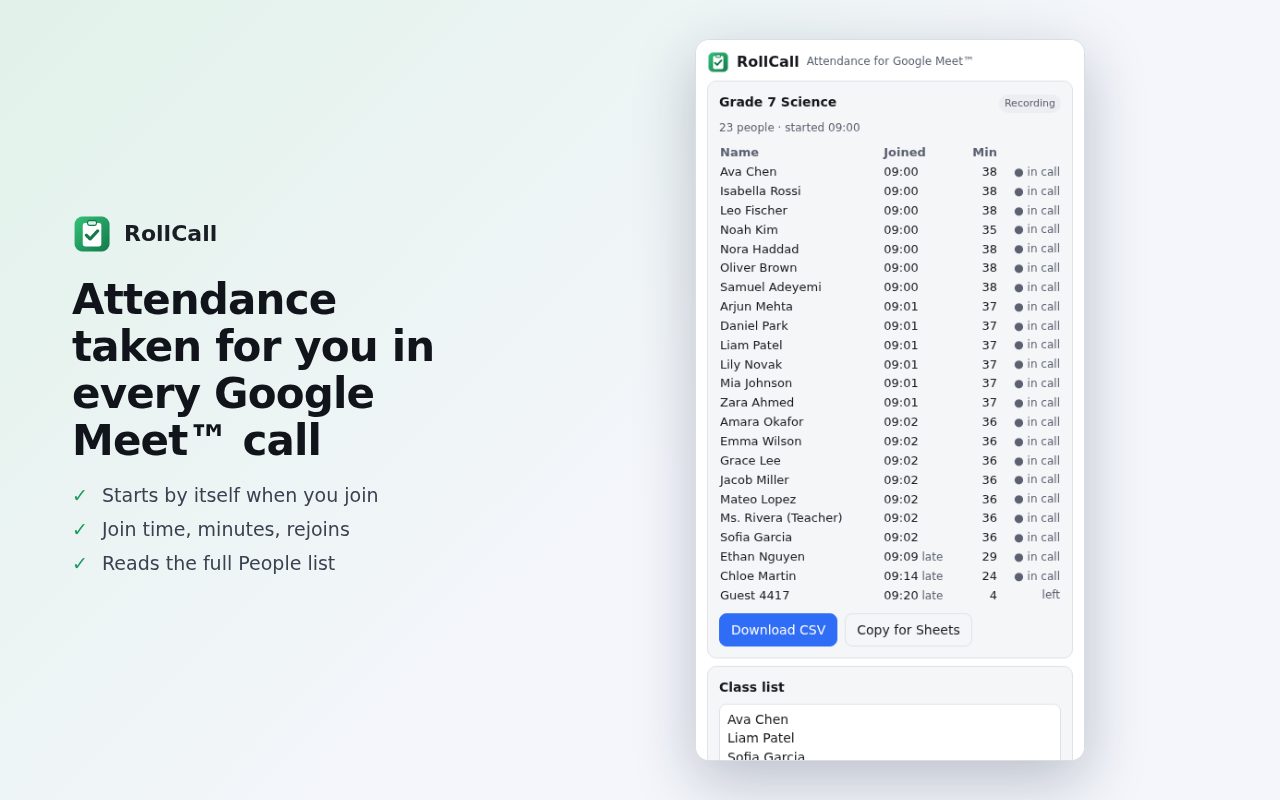
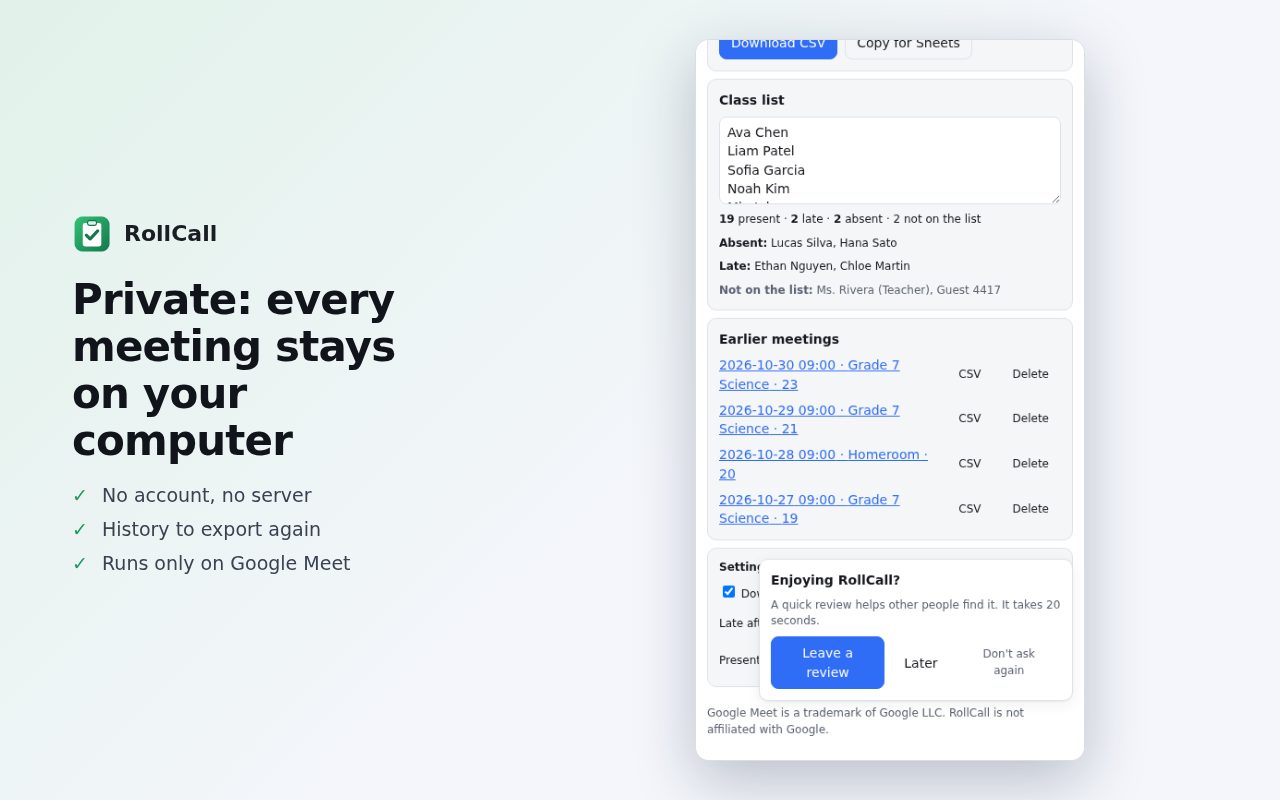
RollCall records who joins your Meet call, when they arrived and how long they stayed, checks it against your class list and exports a clean CSV for Google Sheets or Excel.
Add to Chrome, it's freeFree · Works in Chrome and on Chromebooks · Privacy policy
What it does
- AutomaticJoin a Meet call and RollCall starts recording. No buttons to press.
- Everyone, not just faces on screenReads Meet's People list, with join and leave times, minutes in the call and rejoins.
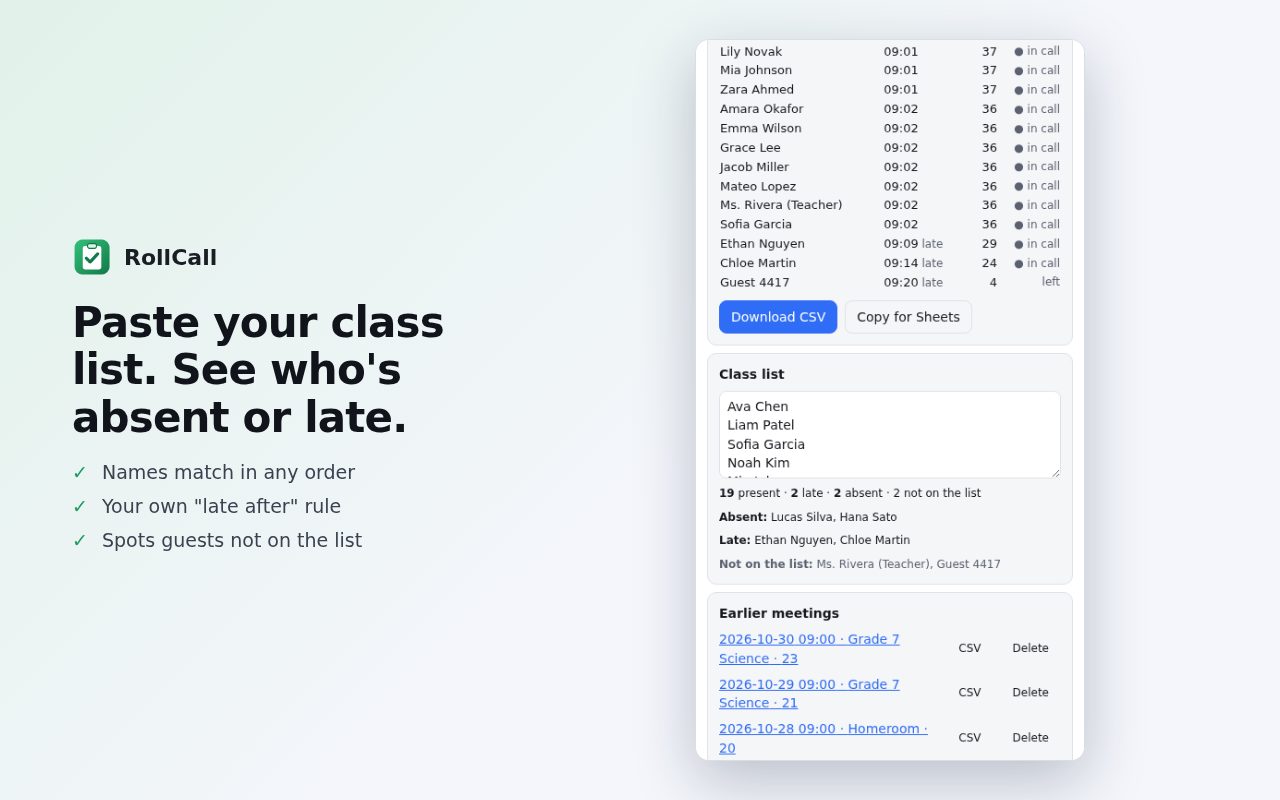
- Class list checkPaste your roster once and see who's present, late or absent, plus guests who aren't on the list.
- Your own rulesChoose “late after N minutes” and a minimum time before someone counts as present.
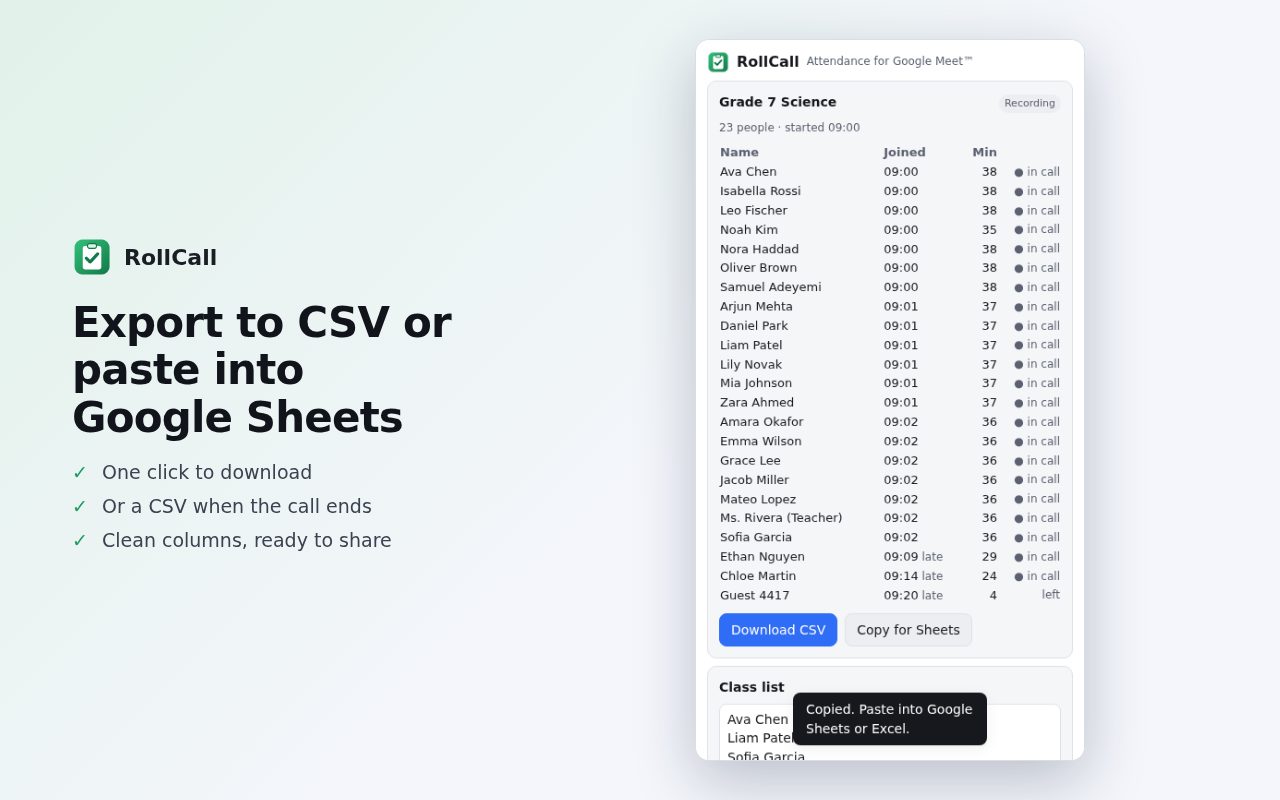
- ExportDownload a CSV, copy a table that pastes straight into Google Sheets, or get a CSV automatically when a call ends.
- PrivateNames and attendance stay on your computer and are never uploaded. No account, no tracking. It runs only on meet.google.com.
Questions
How do I take attendance in Google Meet?
Install RollCall and join your call. It records everyone in the background; open its side panel to see the list, compare it with your class list and export a CSV.
Do I need a paid Google Workspace plan?
No. RollCall works with any Google Meet call you join in Chrome, including free accounts and school accounts.
Why should I open the People panel?
Meet only shows some participants as video tiles. With the People panel open once per call, RollCall sees every name. It reminds you if the panel is closed.
Where is the attendance stored?
Only in Chrome on your computer. Names never leave your device; RollCall only sends anonymous counts of successful exports and errors, with no names or meeting details.
Is it free?
Yes, RollCall is free, with no account and no ads.
Guide
Google Meet is a trademark of Google LLC. RollCall is not affiliated with or endorsed by Google.
More free tools
 DraftLensOpen DWG and DXF files in Chrome, free
 SuggestScopeFree Amazon keyword research, from what shoppers actually type
 FairFillFill and sign any PDF, even ones without form fields
 NanoEventTurn emails, flyers and screenshots into calendar events
 OmniSearchSearch any site straight from the address bar
 ConvertLocalConvert PDFs on your computer. Nothing is uploaded.
 SpeakTypeVoice typing in any text box on the web
 ClearRecA reliable voice recorder for Chrome, with no time limit