SpeakType · Productivity · Chrome extension
Voice typing in any text box on the web
SpeakType types what you say straight into the text box you're using: email, web forms, chat, editors and comment boxes. No more copying from a separate dictation page.
Add to Chrome, it's freeFree · Works in Chrome and on Chromebooks · Privacy policy
What it does
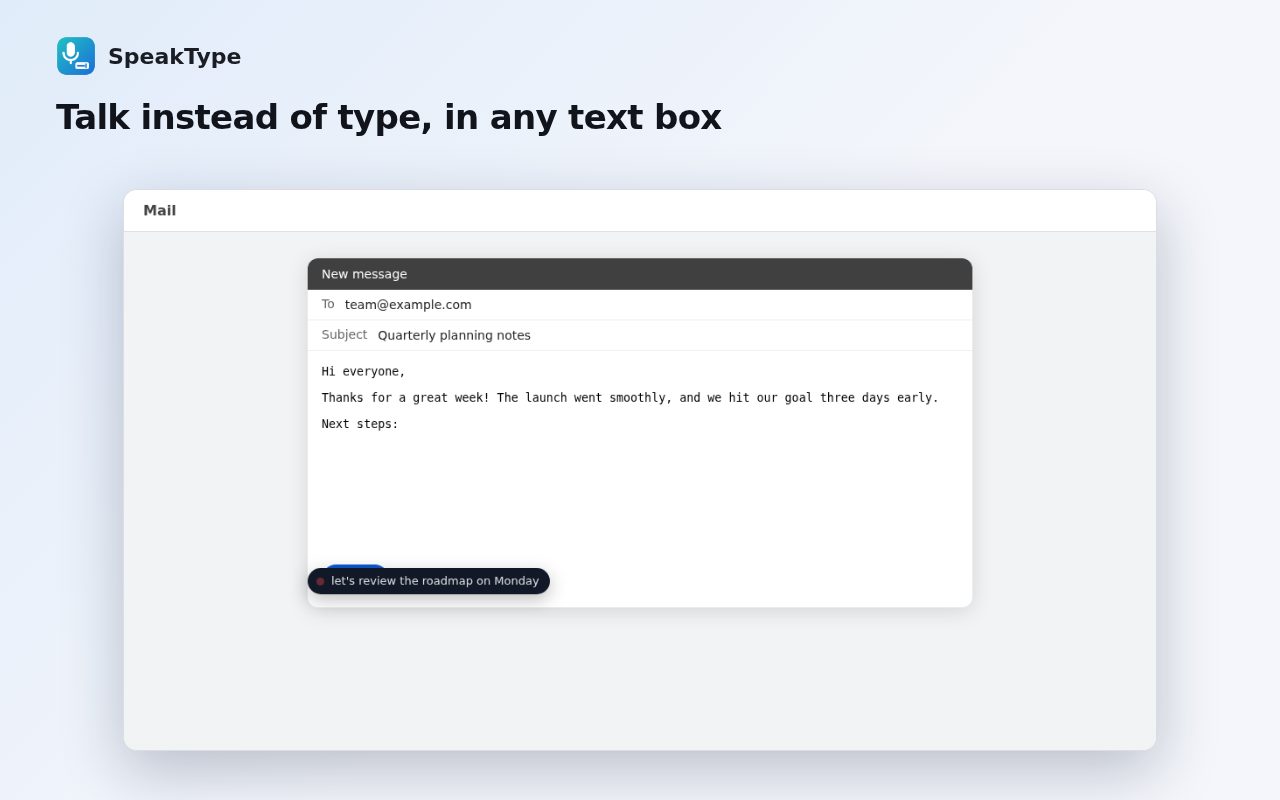
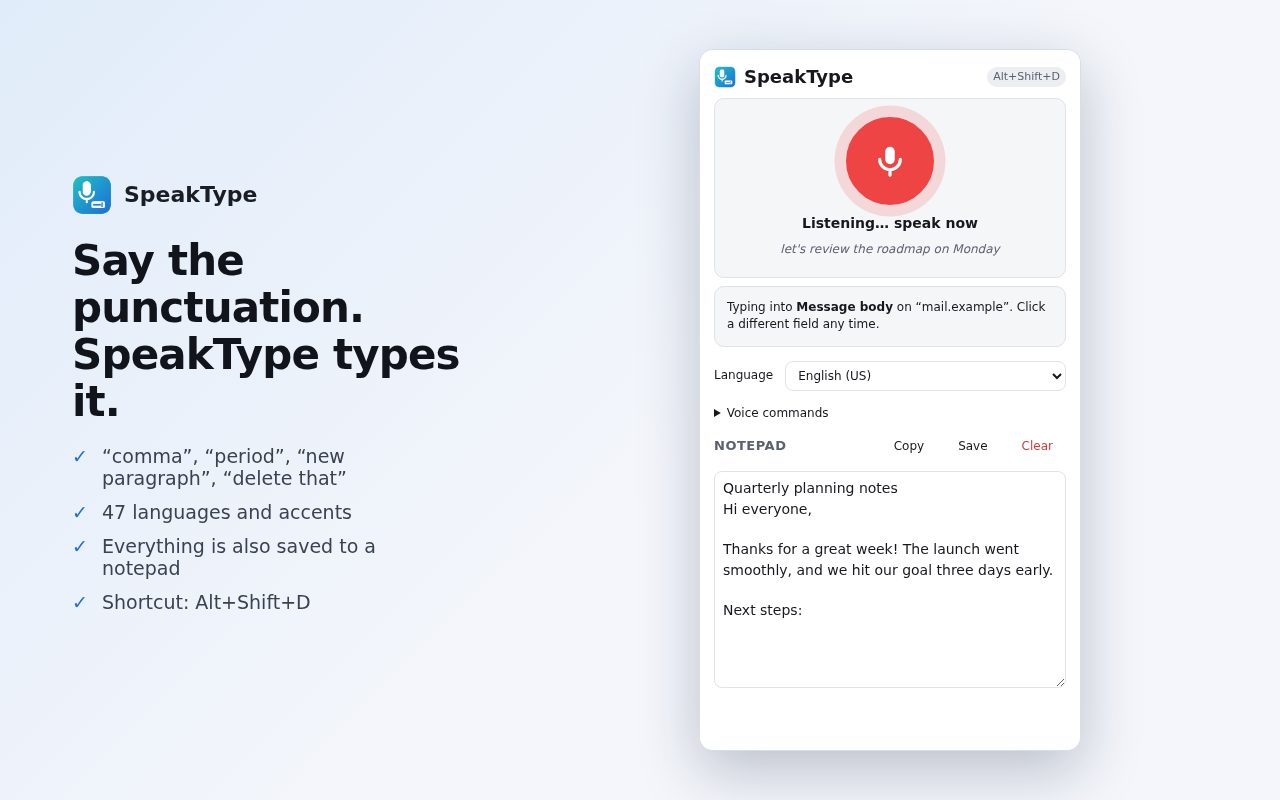
- Works where you typeClick into a text box, press Alt+Shift+D and talk. Your words appear at the cursor.
- Spoken punctuationSay “comma”, “period”, “question mark”, “new line” and more.
- Edit by voice“Delete that”, “cap next”, “stop listening”.
- 47 languagesWith spoken punctuation in English, Spanish, French, German, Portuguese and Italian.
- NotepadEverything you dictate is also kept in the side panel, ready to copy.
- Safe with your textInserts at the cursor and never rewrites what's already there.
Questions
Does it work in web apps and rich-text editors?
Yes, including React and Vue apps and contenteditable editors.
Which speech engine does it use?
Chrome's built-in speech recognition.
Is it free?
Yes.
Guide
More free tools
 DraftLensOpen DWG and DXF files in Chrome, free
 SuggestScopeFree Amazon keyword research, from what shoppers actually type
 FairFillFill and sign any PDF, even ones without form fields
 NanoEventTurn emails, flyers and screenshots into calendar events
 OmniSearchSearch any site straight from the address bar
 ConvertLocalConvert PDFs on your computer. Nothing is uploaded.
 ClearRecA reliable voice recorder for Chrome, with no time limit
 RollCallTake attendance in Google Meet™ automatically