ConvertLocal · PDF · Chrome extension
Convert PDFs on your computer. Nothing is uploaded.
A private PDF converter for Chrome: PDF to Word, JPG to PDF, PDF to JPG, merge and split PDFs, all offline. No uploads, no email, no account.
Add to Chrome, it's freeFree · Works in Chrome and on Chromebooks · Privacy policy
What it does
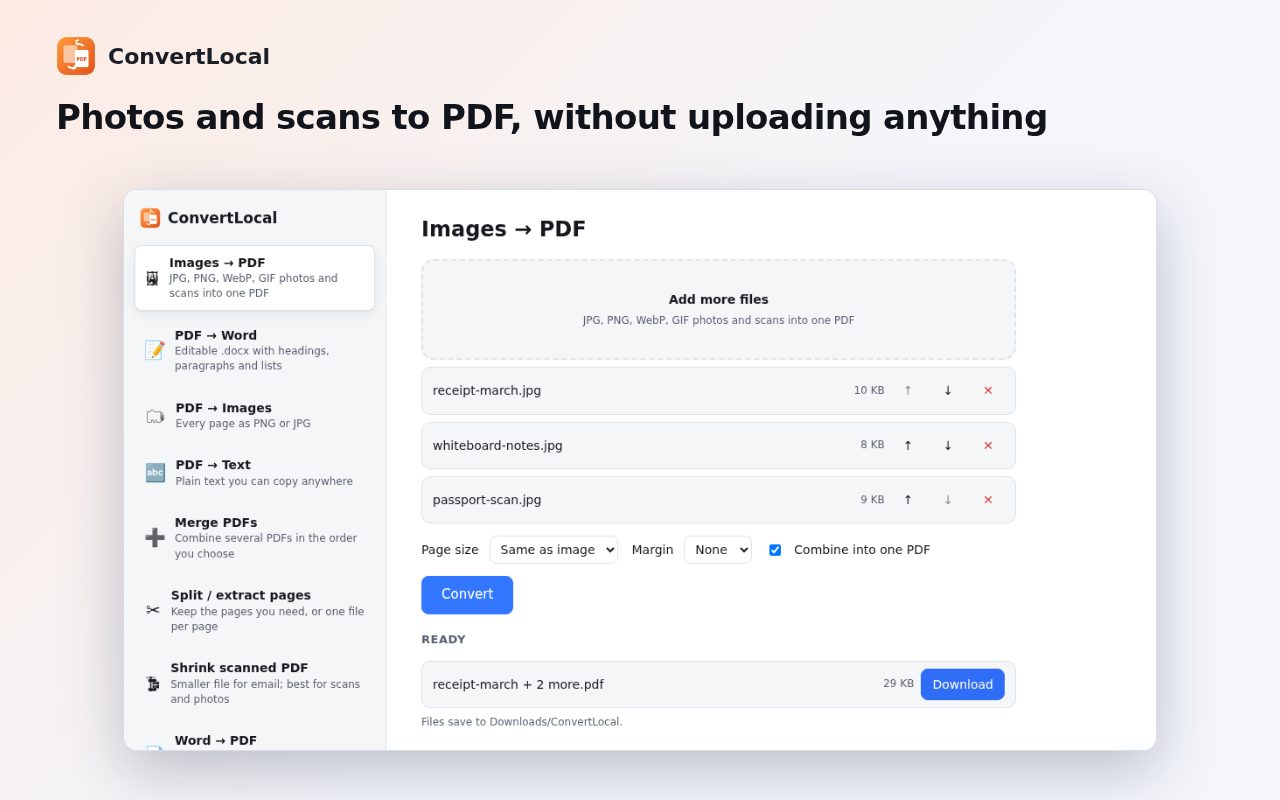
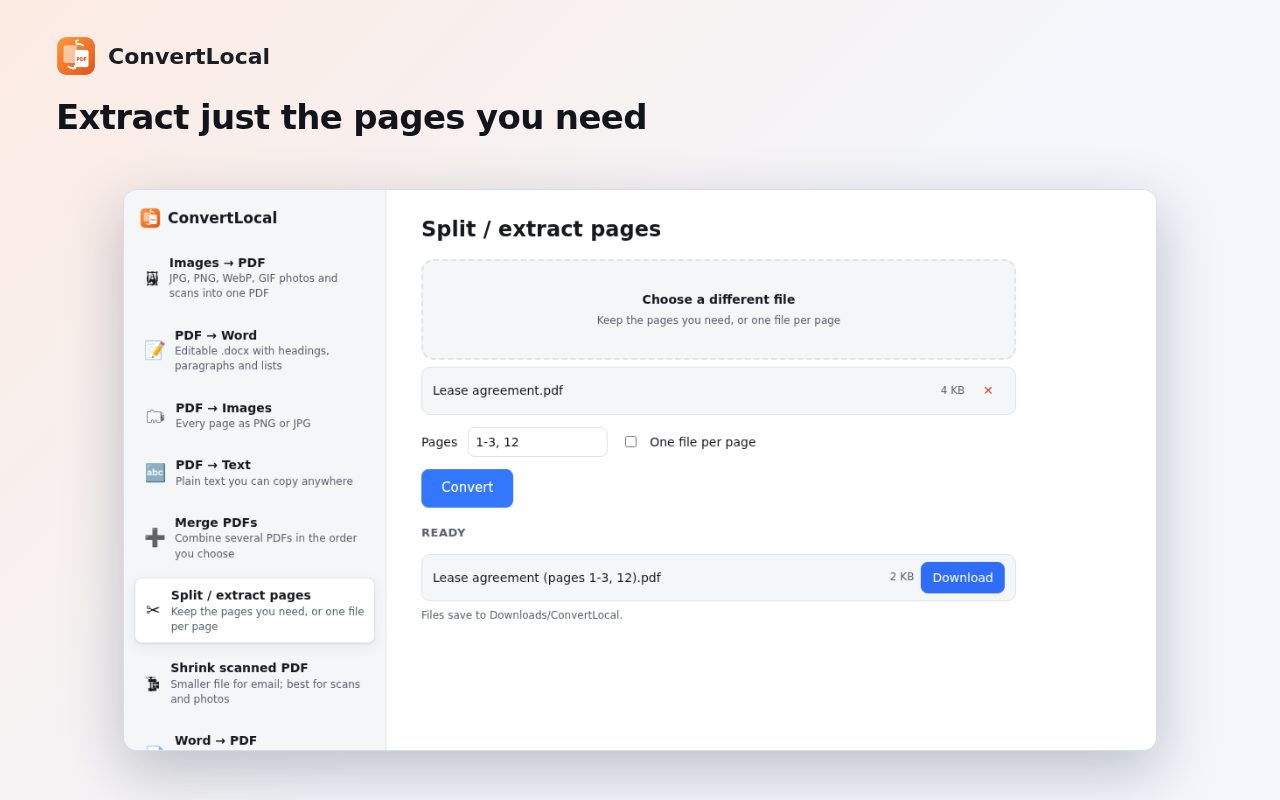
- Images → PDFJPG, PNG, WebP and GIF photos and scans. Phone photos come out upright, on image-sized, A4 or Letter pages.
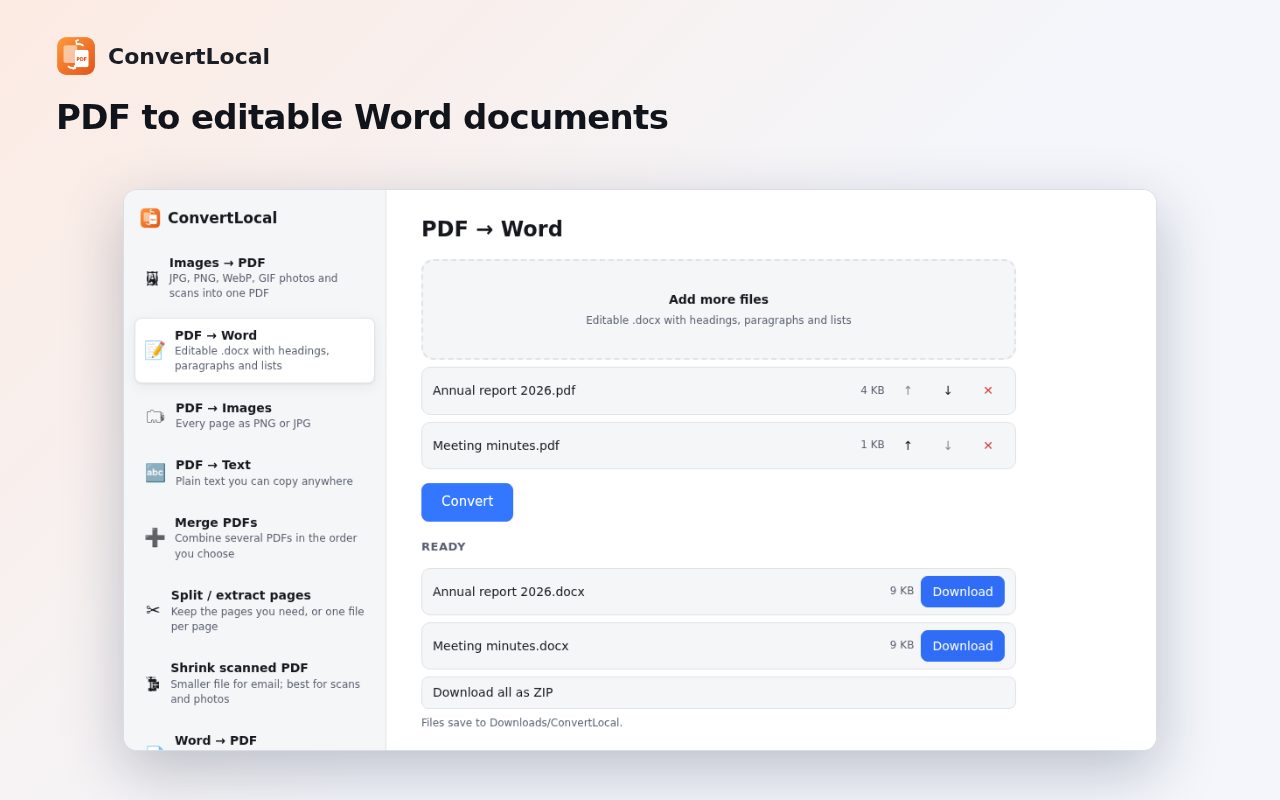
- PDF → WordHeadings, paragraphs, bullet lists and bold or italic text, as .docx.
- PDF → imagesEvery page or the pages you choose, as PNG or JPG at 72, 150 or 300 dpi, with a one-click ZIP.
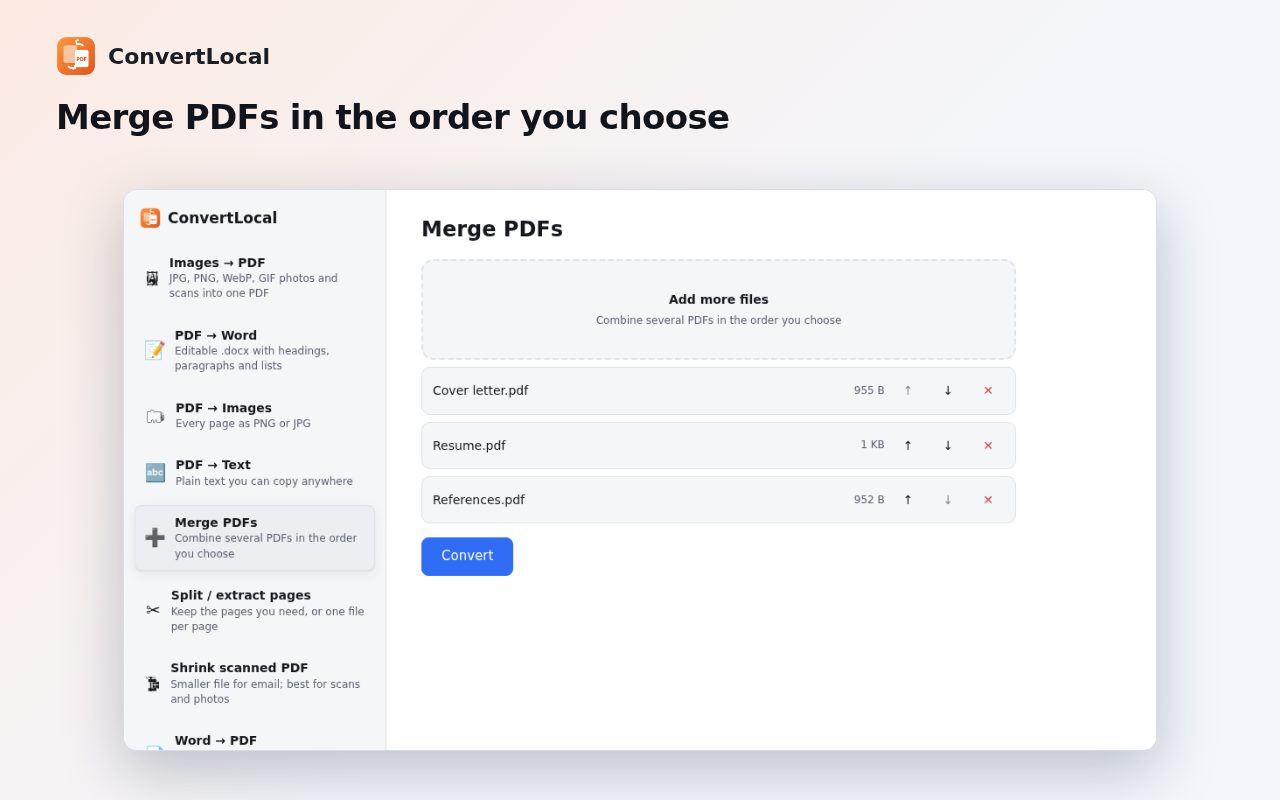
- Merge and splitMerge PDFs in any order, or extract pages like “1-3, 5, 8-”.
- Shrink scansMake scanned PDFs small enough for email.
- Quick accessRight-click an image to convert it to PDF, or a PDF link to convert it to Word.
Questions
Is my file uploaded to a server?
No. ConvertLocal converts files on your computer, inside Chrome.
Can it convert scanned PDFs to Word?
Not yet. PDF to Word needs selectable text; scanned PDFs need OCR, which isn't included yet.
Is it free?
Yes. No ads and no account.
Guide
More free tools
 DraftLensOpen DWG and DXF files in Chrome, free
 SuggestScopeFree Amazon keyword research, from what shoppers actually type
 FairFillFill and sign any PDF, even ones without form fields
 NanoEventTurn emails, flyers and screenshots into calendar events
 OmniSearchSearch any site straight from the address bar
 SpeakTypeVoice typing in any text box on the web
 ClearRecA reliable voice recorder for Chrome, with no time limit
 RollCallTake attendance in Google Meet™ automatically