Guide · Productivity
How to turn an email or flyer into a Google Calendar event
Gmail only suggests events for some emails, like flight and restaurant bookings. For a school newsletter, a club email, a poster or a booking page, you usually end up copying the date, time and address into Calendar by hand.
Step by step
Add NanoEvent to Chrome
Install NanoEvent from the Chrome Web Store. It's free with no account.
Select the event details
Highlight the part of the email or page that mentions the event. For a poster or screenshot, right-click the image, or use the crop tool to select part of the page.
Right-click and extract
Choose “✨ Extract Event from Text (AI)” (or the image option). NanoEvent reads the title, date, time and place.
Fix anything in plain words
If something is off, type a correction like “move to Friday at 4 PM” and it updates the event.
Add it
Click Add to Google Calendar, or export to Outlook on the web or an .ics file for any other calendar.
Tips
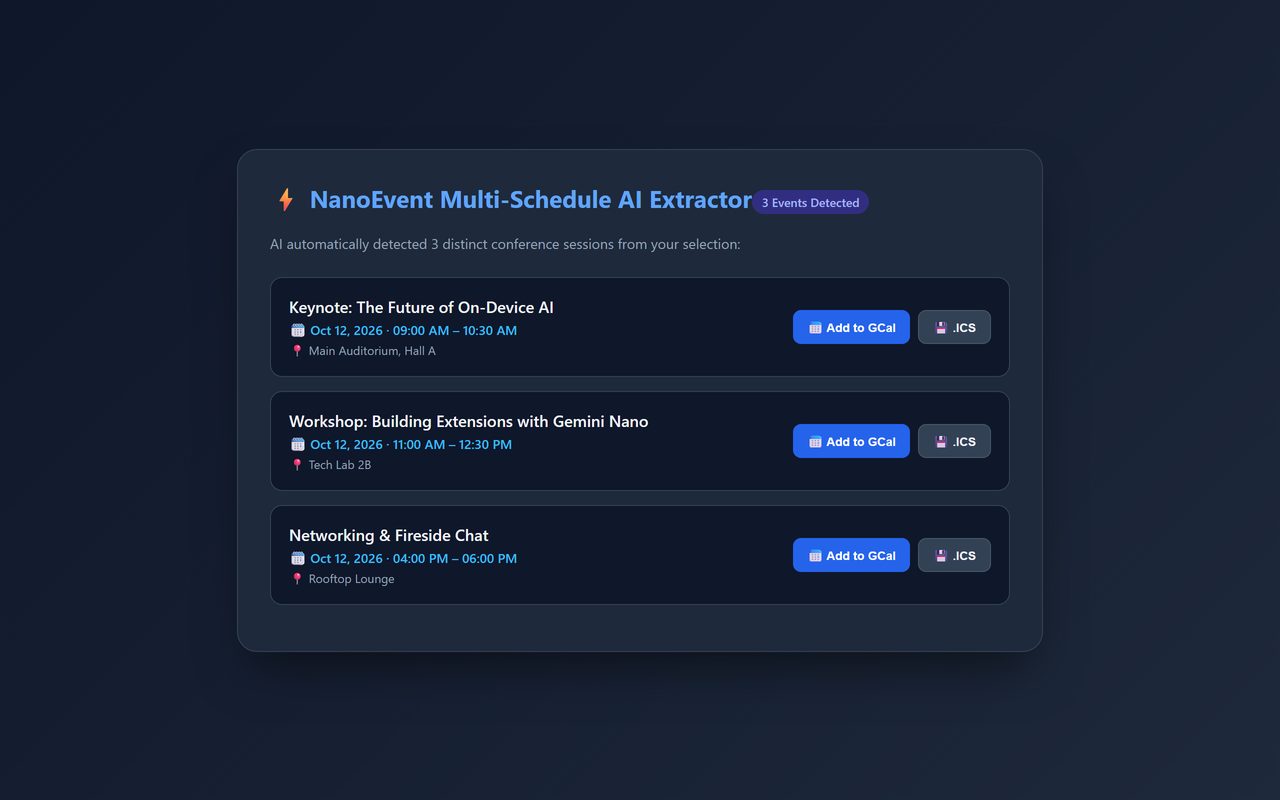
- A whole schedule in one email? NanoEvent finds several events at once; add the ones you want.
- Try it first on the practice flyer: wihoho.github.io/privacy/extensions/nanoevent/try/
Other ways to do it
Gmail's own event chips work for some booking emails, and you can always create the event by hand. NanoEvent helps with everything else: newsletters, posters, web pages and screenshots.
Questions
Does NanoEvent read my whole inbox?
No. Only the text or image you select is sent to an AI service to read the event details.
Does it work with Outlook?
Yes: export to Outlook on the web or as an .ics file.
Is it free?
Yes. No trial, no subscription and no account.
More guides
- How to open a DWG file on a Chromebook
- How to fill and sign a PDF in Chrome, free
- How to take attendance in Google Meet automatically
- How to convert a PDF to Word without uploading it
- How to record audio on a Chromebook, with no time limit
- How to use voice typing on any website in Chrome
- How to do Amazon keyword research for free
- How to type on a PDF that isn't fillable
- How to combine JPG photos into one PDF without uploading them
- How to add an event from a screenshot or poster to Google Calendar
- How to search any website from Chrome's address bar