Guide · PDF
How to convert HEIC photos to PDF, without uploading them
iPhones save photos as HEIC by default. When those photos land on a Windows PC or a Chromebook, many apps can't open them, and Chrome itself can't display HEIC. Online converters work, but they upload your photos, which is a bad idea for IDs, receipts or documents.
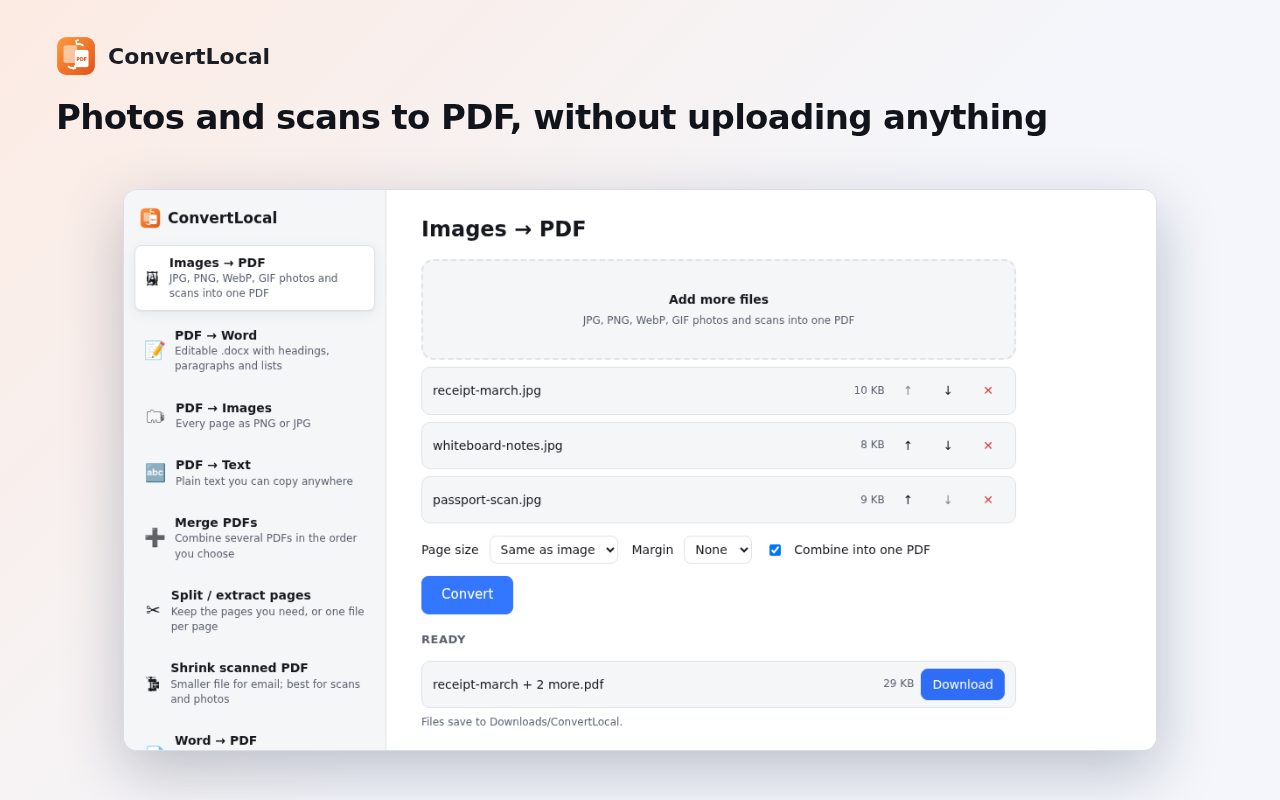
Step by step
Add ConvertLocal to Chrome
Install ConvertLocal from the Chrome Web Store. It's free with no account.
Choose Images → PDF
Click the ConvertLocal icon and pick Images → PDF.
Add your HEIC photos
Drop the .heic files onto the page (you can mix them with JPG or PNG), then use ↑ and ↓ to put them in order.
Pick the page size
Image-sized pages keep each photo whole; A4 or Letter is better for printing or forms.
Convert
Click Convert. The PDF is saved to the ConvertLocal folder inside Downloads.
Tips
- The first HEIC photo takes a moment longer while the decoder starts; the rest are quick.
- Is the PDF too large for email? Use Shrink scanned PDF on it.
- To stop your iPhone saving HEIC at all: Settings → Camera → Formats → Most Compatible.
Other ways to do it
On a Mac, Preview opens HEIC and can export it as PDF. On Windows, the Photos app needs the HEIF Image Extensions from the Microsoft Store to open HEIC. On the iPhone itself, the Files app or the Print dialog can save photos as a PDF.
Questions
Are my photos uploaded?
No. ConvertLocal decodes HEIC with the open-source libheif decoder inside Chrome on your computer.
Can I convert several HEIC photos into one PDF?
Yes. Add them all, put them in order and keep “Combine into one PDF” on.
Is it free?
Yes. No ads and no account.
More guides
- How to open a DWG file on a Chromebook
- How to fill and sign a PDF in Chrome, free
- How to take attendance in Google Meet automatically
- How to turn an email or flyer into a Google Calendar event
- How to convert a PDF to Word without uploading it
- How to record audio on a Chromebook, with no time limit
- How to use voice typing on any website in Chrome
- How to do Amazon keyword research for free
- How to type on a PDF that isn't fillable
- How to combine JPG photos into one PDF without uploading them
- How to add an event from a screenshot or poster to Google Calendar
- How to search any website from Chrome's address bar
- Google Meet attendance extension gone? Here's a free alternative